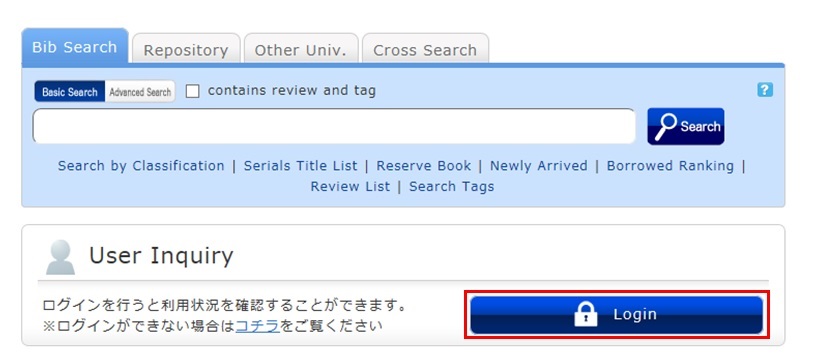
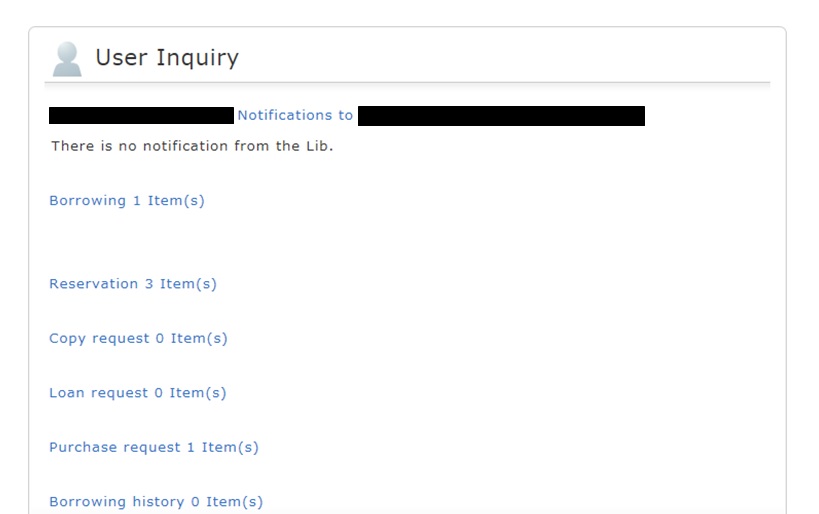
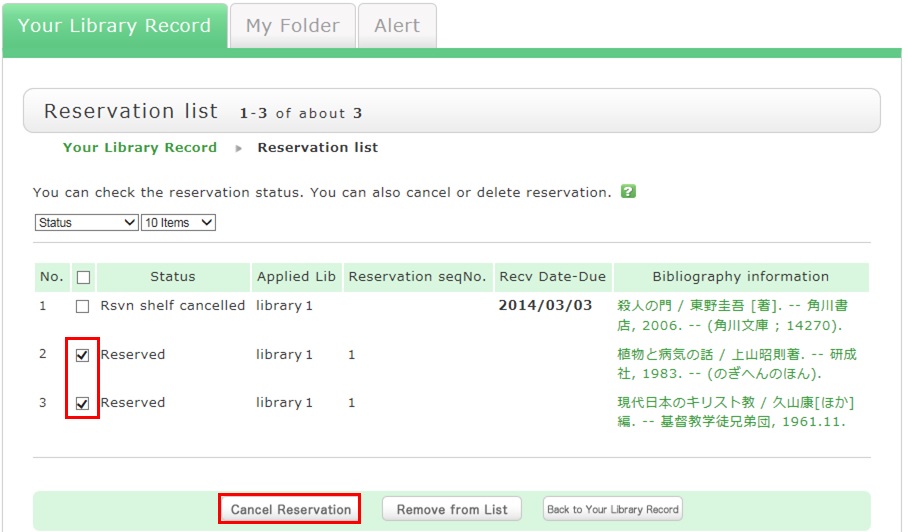
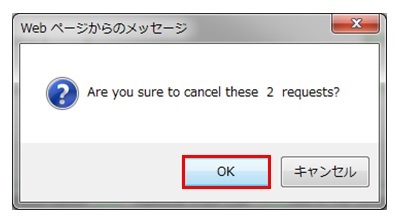
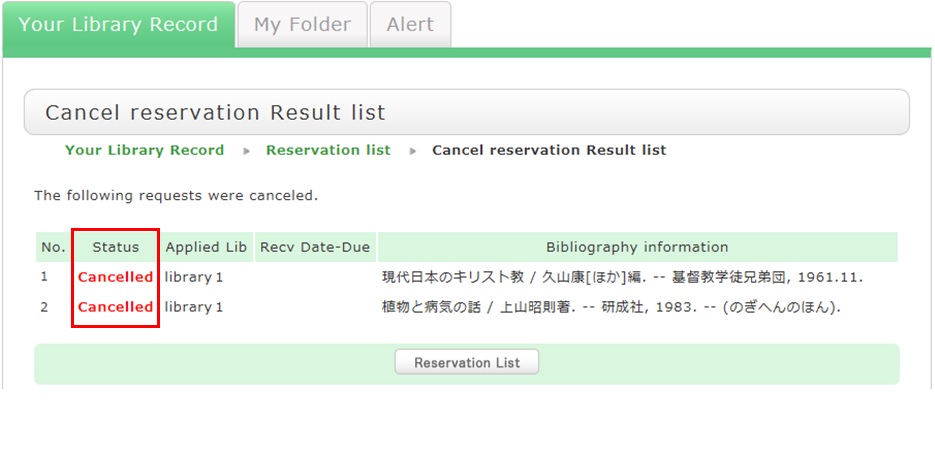
How do I cancel a reservation? カテゴリ: 1.2. How to Find, Borrow, and Reserve Books When you want to cancel a reserved material, you can delete the reservation from OPAC. 1. Log in to OPAC. 2. Click "Reservation" from User Inquiry on the OPAC top page. 3. The reservation list screen appears. Place a check mark beside the material whose reservation you want to cancel, and click [Cancel Reservation]. 4. Click [OK] in the pop-up. 5. "Canceled" appears under Status upon the completion of the reservation cancellation.
When you want to cancel a reserved material, you can delete the reservation from OPAC. 1. Log in to OPAC. 2. Click "Reservation" from User Inquiry on the OPAC top page. 3. The reservation list screen appears. Place a check mark beside the material whose reservation you want to cancel, and click [Cancel Reservation]. 4. Click [OK] in the pop-up. 5. "Canceled" appears under Status upon the completion of the reservation cancellation.
(~2019年) >>バックナンバー 平成21(2009)年から令和元(2019)年度まで発刊していた「みんぱく図書室ニュース」のバックナンバー。 第122号 第121号 第120号 第119号 第118号 第117号 第116号 第115号 第114号 第113号 第112号 第111号 第110号 第109号 第108号 第107号 第106号 第105号 第104号